Game Information
Description
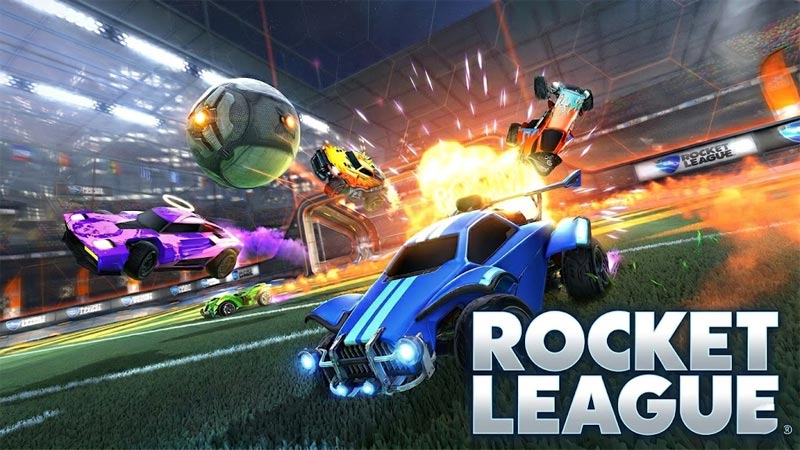
Rocket League is the genre-defining mashup that slams soccer and rocket-powered cars into one gloriously chaotic arena sport. You control a booster-equipped battle car and your mission is simple: smash a giant ball into the opponent's goal faster than they score on you. Equal parts driving skill, timing, and beautiful chaos, it is the most replayable sports game on four wheels.
The depth comes from the tricks you pull off once you are comfortable. Jump and double-jump to launch aerial shots, flip your car to clear the ball with force, and chain boost pickups into screaming strikes from midfield. Team play matters too - rotating positions, setting up passes, and last-second saves turn scrambles into highlights. Every match feels different because every touch of the ball is.
Easy to learn in a single match and a lifetime to master, Rocket League runs smooth on desktop and mobile. Squad up or go solo, then take the win. Play Rocket League free online right now on MiniPlay - no download required.
How to Play
How to Play Rocket League
1. Learn the drive. Use the arrow keys or WASD to steer your car around the arena. You start on your half, hunting for the ball.
2. Hit the ball. Drive into the oversized ball to knock it toward the opponent's goal. Power and angle decide where it flies.
3. Use boost. Grab glowing boost pads and hold Shift or Space to rocket forward - boost is your best friend for fast strikes and defending.
4. Jump for aerials. Tap jump, then jump again in the air to double-jump and flip your car into overhead shots and clears.
5. Work as a team. Rotate with teammates, cover the goal on defense, and set up passes so someone is always ready for the finish.
6. Score more than the other side. The clock runs down fast - bury more goals than your opponent before time expires to win.
Start your engine and take the pitch - play Rocket League free on MiniPlay!






Frequently Asked Questions
What is Rocket League?
Rocket League is a high-octane sports mashup that drops rocket-powered cars onto a soccer pitch. Drive, jump and boost to smash a giant ball into the opponent goal in matches that are equal parts skill and chaos.
How do you play Rocket League?
Use the arrow keys or WASD to drive your car. Hold the boost button, Shift or Space, to rocket forward and strike the ball with power, and jump plus double-jump to launch aerial shots.
Is Rocket League free to play?
Yes. You can play Rocket League free in your browser on MiniPlay with no download or install needed.
What devices can I use to play Rocket League?
The game runs in any modern web browser on desktop and mobile, so you can jump into a match on a computer, phone or tablet.
What is the goal in Rocket League?
Score more goals than the opposition before time runs out by hitting the ball with your car. Coordinate with teammates, pull off aerial flips and last-second saves to win.