Game Information
Description
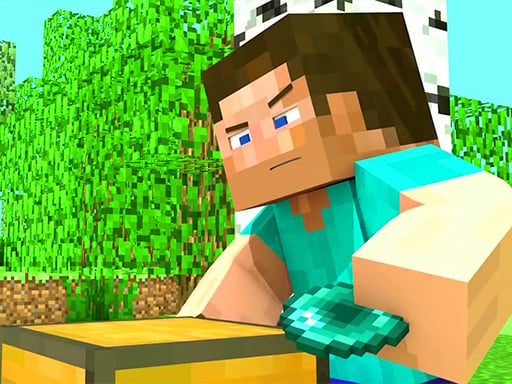
Master Craft is a free, browser-based sandbox adventure built in the unmistakable blocky style of classic voxel worlds. Drop into an endless, procedurally generated landscape of forests, plains, mountains, and caves, then shape it however you like with no downloads and no installs. Just press play and start creating. Whether you want to survive the night or build without limits, the world is yours to mold block by block.
The magic of Master Craft is freedom. Gather wood, stone, and rare ores to craft tools, weapons, and shelter, or flip into pure creative mode and raise towering castles, cozy cabins, and sprawling cities from an unlimited palette of blocks. Every session is a fresh canvas: explore winding caves, climb snowy peaks, mine for diamonds, and watch your imagination take physical form in real time. With smooth WASD-and-mouse controls and a lightweight HTML5 engine, it runs instantly on PC, tablet, or phone.
Master Craft is perfect for builders, explorers, and anyone who loves the calm satisfaction of making something from nothing. Kids and adults alike will lose track of time carving out their own corner of the world. Play Master Craft free on MiniPlay, your go-to home for hundreds of hand-picked HTML5 games that load in seconds and cost nothing to enjoy. Bookmark us and come back daily for new titles across every genre.
How to Play
1. Press Play to load Master Craft in your browser with no download required.
2. Use WASD or the arrow keys to move through the open blocky world.
3. Move the mouse to look around and aim, then click and hold to interact with blocks.
4. Start by punching trees to collect wood, your first and most important resource.
5. Open your inventory with E and craft basic tools such as a wooden pickaxe and axe.
6. Mine stone and dig into caves to find coal, iron, and rarer ores underground.
7. Craft stronger gear and build a shelter before nightfall to stay safe from mobs.
8. Gather food and keep an eye on your hunger and health bars to survive longer.
9. Switch to creative mode any time for unlimited blocks and free-flight building.
10. Use the number keys 1 through 9 to select blocks and right-click to place them.
11. Explore different biomes because mountains, water, and lava each offer new materials.
12. Save your world and return whenever you like to keep expanding your creation on MiniPlay.





Frequently Asked Questions
What is Master Craft?
Master Craft is a free browser sandbox inspired by Minecraft where you survive in an endless block world and build houses, structures, and creations with gathered materials. Play it instantly on MiniPlay with no download.
How do you play Master Craft online?
Use WASD to move and the mouse to look and place blocks. Explore the open world, gather resources, and build anything from small shelters to large structures, all free in your browser on MiniPlay.
Is there a goal in Master Craft?
There is no fixed end. Survive, explore, and build freely; many players set their own goals like completing a base or mapping the endless world. It is perfect for relaxed creative play on MiniPlay.
Can I play Master Craft on mobile?
Yes. Master Craft runs free in your web browser with no download and works on PC, tablet, and phone, so you can build on the go with touch or keyboard controls.
Is Master Craft free on MiniPlay?
Absolutely. MiniPlay hosts Master Craft as a free-to-play HTML5 game with no installs, no accounts, and no paywalls, just open the page and start crafting.